





































DigiWorks

Hire the Top 1% of Social Media Manager Virtual Assistant

Hire a vetted social media manager virtual assistant in as little as 7 days—at up to 70% less than in-house. DigiWorks sources international talent, runs the screening, and lets you interview at zero cost with subscription-only billing. Get a results-driven SMM VA who can execute daily operations, protect brand voice, and report on KPIs from day one.
Hire the Top 1% of social media manager virtual assistant

Trusted by 3,000+ businesses worldwide

List of Benefits of Hiring a Social Media Manager Virtual Assistant with DigiWorks

Proven, vetted global talent

Access rigorously screened VAs from top talent markets, matched to your brand, tools, and time zone needs within 7 days.

Administrative and strategic coverage

Your VA handles daily scheduling and engagement while supporting strategic calendars, campaigns, and reporting.

Cost efficiency without compromise

Save up to 70% vs hiring in-house and pay a simple monthly subscription. Interview candidates for free—no placement fees.

Clear KPIs and reporting cadence

Operate on targets like content velocity, engagement rate, CTR, and first-response time with weekly insights.

Seamless onboarding and tooling

Your VA works in your stack (Meta Business Suite, Sprout, Hootsuite/Buffer, Later, Canva, Notion/Asana/ClickUp, Slack).

Why Choose DigiWorks for a Social Media Manager Virtual Assistant?

7-day matching

We dramatically reduce time-to-hire with fast shortlists that fit your brand, platforms, and industry.

Zero-cost interviews

Meet candidates before you subscribe. No hidden fees, ever.

Subscription-only billing

Simple, predictable monthly pricing. Scale up or down as needs change.

How It Works

Optional Trial / Guarantee

Experience Social Media Manager on your workflow – risk-free.

Service Breakdown

Here’s the practical 30-60-90 day plan, scope matrix, reporting cadence, KPIs, tools, coverage models, and cost comparison to help you onboard a high-performing social media manager virtual assistant.

Role Scope Matrix: Administrative vs Strategic

Administrative: schedule posts, queue content, community responses, DM triage, comment moderation, UGC save/organize, basic Canva edits, link-in-bio updates, asset tagging, inbox labeling, and social listening alerts. Strategic: content calendar planning, campaign coordination, audience research, competitor benchmarking, hashtag and keyword sets, light copy refinement to match brand voice, performance analysis, A/B testing hooks/thumb-stoppers, UTM hygiene, and insights-to-action recommendations.

30-60-90 Day Onboarding Plan

Days 1–30 (Foundation): Tools access, brand voice and visuals brief, content calendar build, baseline audit of 90 days of performance, engagement playbook, SLA for first-response times, and initial KPI targets. Days 31–60 (Optimization): A/B test hooks, formats, and posting windows; refine hashtag sets; implement UTM and saved replies; establish cross-channel repurposing; early wins report. Days 61–90 (Scale): Introduce campaigns and creator collabs, tighten reporting dashboards, systematize content ops in Notion/Asana/ClickUp, and lock quarterly KPI targets.

Weekly Reporting Cadence (Sample)

Monday: Content calendar check and approvals for the week. Wednesday: Midweek pulse—engagement, first-response time, and best performers with quick optimizations. Friday: Performance wrap—posts published, top posts by ER and CTR, community insights, growth, spend notes (if applicable), and next-week plan.

KPI Targets to Run On

Content velocity: 15–25 total posts/week across priority channels (mix of feed, stories, shorts/reels). First-response time: under 60 minutes during coverage window, under 12 hours off-hours. Engagement rate: improve baseline by 20–40% over 90 days; channel targets benchmarked by niche. CTR: 1.0–2.5% on link posts; reels/shorts watch-through improvement of 15–30% over 90 days. Secondary: follower growth 3–7% monthly (organic), save/share rate uplift, UTM-tagged traffic and leads.

Recommended Tool Stack

Planning and scheduling: Meta Business Suite, Sprout, Hootsuite or Buffer, Later. Creative: Canva (brand kits, templates). Project management: Notion, Asana, or ClickUp. Comms: Slack. Analytics: native insights, Sprout/Hootsuite reports, GA4 with UTM tracking.

Coverage Models for Time Zones

Follow-the-sun: assign a VA in a complementary time zone for daytime coverage of your core market. Split shift: one VA covers early AM + late PM engagement windows for faster responses. Overlap windows: ensure 3–5 hours of daily overlap with your internal team for standups, approvals, and reviews.

Video Customer Testimonials

Remodelmate

Logan Phillips (Head of Operations)

Start Up

Marketplace

United States

Drunk Yoga
Eli Walker (Founder)

Wellness

SME

United States
Ovalz
Marvin Harris (Founder)

Wellness

SME

United States
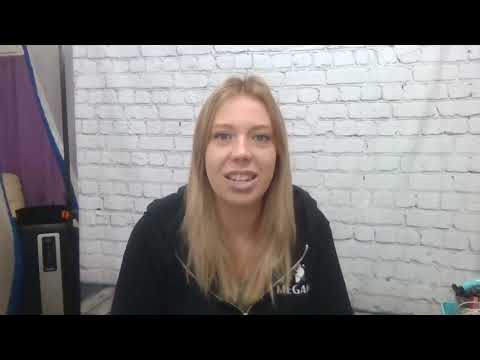
Maid Fantastic

Megan Fraser (Founder)

Local Service

SME

Canada

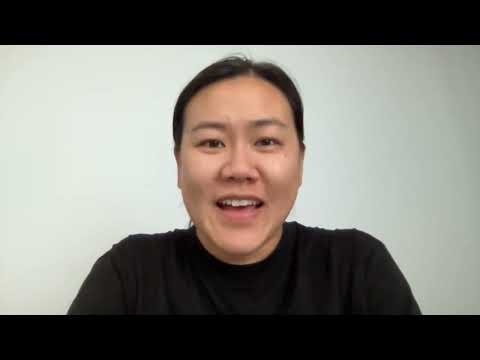
BeCeBe

Janice Wong (Founder)

Ecommerce

Startup

United States

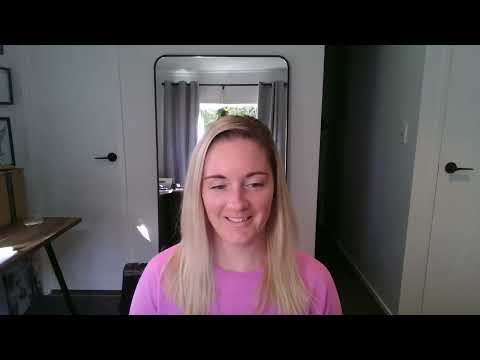
EcoFresh Solutions

Holly McKee (Founder)

Local Service

SME

New Zealand

Comparison Table

Feature / Service DigiWorks Wishup Bruntwork Wing Assitant Virtudesk MyOutDesk
Start in 48 Hours
AI-Specific Training
Expertise in LLMs (OpenAI, Anthropic, Meta)
Global Talent Pool
Up to 70% Cost Savings vs In-House
Experience in ML Ops & Deployment
Integration with Existing Tech Stack (APIs, Databases, CRMs)
Dedicated AI Developer
Free Replacement Guarantee
Free 1-Week Trial

Founder Story

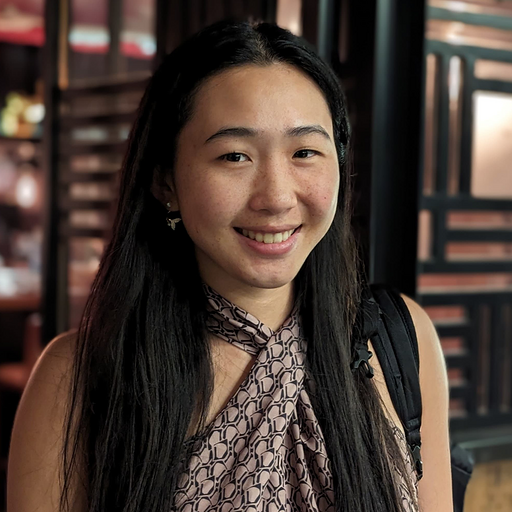
Monica

Co-Founder

Rolphy

Co-Founder

Hi, We're Monica & Rolphy!

We founded DigiWorks after seeing how broken hiring and team building had become — slow, expensive, and limited by geography. Companies were either overpaying locally or struggling to manage remote talent effectively.

We built DigiWorks to fix that. By combining global talent access with structured systems for hiring, onboarding, and performance, we make it possible for companies to build high-performing teams anywhere in the world.

Most business owners waste enormous time and cash because they don’t know how to hire, manage, or scale remote teams, especially technical ones.

We believe this is a fundamental shift. The best companies won’t be defined by where they hire, but by how effectively they build and operate global teams — and DigiWorks sits at the centre of that change.

Monica & Rolphy

Zero-Risk Hiring Starts Here

See how a remote team member performs inside your workflow, completely risk-free.

Find Out How DigiWorks Helps Businesses Hire Contractors

Find Out How DigiWorks Helps Businesses Find Contractors​

See a Few of Our 45k+ Pre-vetted Candidates

Industries We Serve

Our AI app development experts have experience across sectors, tailoring each solution to specific business needs.

Meet The Talent

Top Talent, Transparent Compensation

We help you hire faster and retain skilled AI developers longer by providing clear role definitions, transparent compensation, and pre-vetted global talent. With DigiWorks, you always know exactly what your hire earns and what goes to us.

AI Developer

(Entry Level)

Candidate Compensation

$1,200 – $1,800 / month (Offshore talent via DigiWorks)

AI Developer

(Mid-Level)

Candidate Compensation

$1,800 – $2,500 / month (Offshore talent via DigiWorks)

Senior AI Developer / AI Solutions Architect

Candidate Compensation

$2,500 – $3,500 / month (Offshore talent via DigiWorks)
What’s the cost comparison: in-house social media manager vs agency vs VA?
Typical in-house total cost can reach $70k–$120k/year with benefits and overhead. Agencies often run $3k–$8k/month on retainers. A DigiWorks social media manager VA typically costs a fraction of that on a predictable monthly subscription—clients often save up to 70%.
We can match you with candidates in as little as 7 days, and interviews are free before you start a subscription.
We start with a brand voice brief, content style guide, and approval workflow. Your VA uses templates, saved replies, and a two-step review for key posts for consistent quality control.
They own scheduling, moderation, and reporting. They support strategy by building calendars, testing creatives, benchmarking competitors, and surfacing insights for your marketing lead to greenlight.
Yes. Your VA works in your stack (Meta Business Suite, Sprout, Hootsuite/Buffer, Later, Canva, Notion/Asana/ClickUp, Slack) and follows your SSO, password vaults, and role-based permissions.

FAQs

3,000+ Happy Customers And Counting

Ready to meet your social media manager virtual assistant?

Request candidates today and start interviewing at zero cost. We’ll match you in 7 days, onboard with a clear 30-60-90 plan, and run on KPIs that matter. Download the onboarding checklist at https://www.teamdigiworks.com/social-media-va-onboarding-checklist and get started now.

Capabilities of Our Social Media Manager Virtual Assistants

Content and calendar ops

Plan, schedule, and repurpose content across platforms with templates, UTM tags, and approval workflows.

Community management and care

First-response SLAs, saved replies, DM triage, and escalation paths to protect brand reputation.

Insights and optimization

Weekly reporting on engagement, CTR, reach, and growth with data-led recommendations and tests.

Creator and UGC workflows

Source UGC, manage creator outreach, collect permissions, and organize assets.

Light paid-social support

Coordinate boosting, pull ads dashboards, and annotate creative learnings for your paid team.

Multilingual and multi-time-zone coverage

Tap international talent for language coverage and faster community responses in your markets.

Cross-functional collaboration

Work smoothly with customer support, sales, and product to close the loop on feedback and leads.

Crisis and escalation readiness

Playbooks for sensitive replies, fast routing, and audit trails in comments and DMs.

Compliance and governance

Role-based access, content approvals, and documentation in Notion/Asana/ClickUp.

Training and SOP creation

Document systems, templates, and checklists to make social operations resilient and scalable.

Share

Hire the Top 1% of social media manager virtual assistant

Looking to onboard a social media manager virtual assistant fast—and get measurable results in the first quarter? Here’s a practical 30-60-90 day plan, a clear role scope, KPIs, and tool stack so you can move from “We should post more” to a predictable engine for reach, engagement, and leads. With DigiWorks, you get vetted international talent, zero cost to interview, subscription-only billing, and 7-day matching.

New to social media VAs? Start with our overview: Social Media Virtual Assistant and the specific Virtual Assistant for Social Media role scope. For task ideas, see Top Social Media Marketing Tasks You Can Give Your Virtual Assistant. Avoid common onboarding pitfalls with How Startups Can Hire Virtual Assistants Without Micromanaging. If your VA will partner with sales for social listening or lead follow-up, share this too: Virtual Assistant for Sales.

30-60-90 Day Plan for Your social media manager virtual assistant

Days 1–30: Baseline, brand voice, and cadence

  • Access and setup: Secure access to Meta Business Suite, LinkedIn, X, TikTok, Sprout/Hootsuite/Buffer, Later, Canva, Notion/Asana/ClickUp, Slack.
  • Brand kit: Tone of voice, do/don’t words, visual kit, approved CTAs, UTM conventions.
  • Audit: Past 90 days’ performance, top/bottom posts, current engagement rate, response time, CTR, follower growth, and content velocity.
  • Calendar: Publish a 4-week content calendar with pillars (education, proof, product, culture) and first draft assets.
  • Community ops: Define escalation paths and response templates; enable saved replies and inbox automations.
  • Reporting: Agree on a weekly scorecard and definitions for KPIs.

Days 31–60: Scale production and optimize

  • Increase content velocity and diversify formats (short-form video, carousels, stories, polls).
  • A/B test hooks, thumbnails, and post times; standardize naming for assets.
  • Engagement playbook: Daily comment routing, proactive outreach to ideal accounts, and UGC pipeline.
  • Lead handoff: Tighten workflow with sales/CS for social-sourced leads and FAQs.
  • Quarterly theme: Anchor campaigns around launches, events, or promos.

Days 61–90: Systemize and attribute

  • Build a 90-day rolling calendar and production checklist.
  • Attribution: UTM tracking, Link in Bio optimization, and CRM tags for social-sourced opportunities.
  • Benchmark review: Compare to baseline; reset targets for next quarter.
  • Playbooks: Document SOPs for content creation, approvals, crisis comms, and reporting.

Role Scope Matrix: Administrative vs. Strategic

What should your VA own today vs. what stays with you or your strategist?

Administrative (VA-led)

  • Scheduling and queue management across Meta Business Suite, Sprout, Hootsuite/Buffer, or Later
  • Asset production in Canva, resizing, captioning, repurposing clips
  • Inbox/community management, triage, and first-response
  • Competitor and hashtag monitoring, social listening, and UGC approvals
  • Weekly data pulls, UTMs, link management, and reporting

Strategic (you/marketing lead; VA supports)

  • Brand positioning, voice standards, and campaign themes
  • Channel strategy and audience segmentation
  • Creative direction and final approvals for flagship assets
  • Budgeting for paid boosts and influencer partnerships
  • Quarterly KPI targets and post-mortems

Sample Weekly Reporting Cadence

  • Mondays: 15-minute standup in Slack; review priorities and approvals.
  • Wednesdays: Midweek health check—content queue status, open risks, quick wins.
  • Fridays: Scorecard in Notion/Asana with commentary, plus next-week calendar for approval.

Scorecard fields: Posts published, reach/impressions, engagement rate, saves/shares, link CTR, content output vs. plan, response time, top 3 posts (why they worked), experiments, next actions.

KPIs and Targets

  • Content velocity: 5–7 posts/week per primary channel; 10–15 short-form videos/month.
  • First-response time: Under 2 hours during stated business hours; under 12 hours off-hours.
  • Engagement rate: Improve baseline by 20–40% within 90 days; target 1.5–3% on IG/LinkedIn organic depending on industry.
  • CTR on link posts: 1.5–3% target; improve by 25% vs. baseline.
  • Follower/reach: 3–7% monthly follower growth; 15–30% reach growth by day 90.
  • Lead indicators: Saves/shares +30% QoQ; reply rate to DMs/comments +20%.

Tool Stack Recommendations

  • Publishing: Meta Business Suite, Sprout, Hootsuite/Buffer, Later
  • Creation: Canva (brand kit, templates)
  • Project management: Notion, Asana, or ClickUp
  • Comms: Slack (with channel for approvals and crisis triage)

Hiring? Browse real-world role examples on Indeed to finalize scope—then let DigiWorks source pre-vetted global talent in 7 days.

Coverage Models for Time Zones

  • Core hours model: VA mirrors your 9–5 window for same-day approvals and community response.
  • Split-shift model: 4 hours overlap + 4 hours early/late coverage to cut response times.
  • Follow-the-sun: Pair VAs across regions for near 18–24h coverage during launches.

Concerned about quality control or brand voice? Keep approvals on strategic posts and let your VA fully own templated content and community care. We’ll align the match to your industry and tone.

Concise Cost Comparison

  • In-house social media manager: $70,000–$100,000/year fully loaded (salary + benefits + overhead).
  • Agency retainer: $3,000–$10,000/month for fixed scopes; limited day-to-day engagement.
  • VA (DigiWorks): Typically $1,200–$2,500/month depending on hours/seniority—clients save up to 70% vs. in-house.

With DigiWorks, interviewing is free, there’s no placement fee, and billing is subscription-only. We match you with a short list in as little as 7 days.

What You’ll See by Day 90

  • Documented brand kit, SOPs, and a 90-day rolling content calendar
  • Consistent publishing and faster community response
  • Clear weekly scorecards and attributable traffic/leads from social
  • Saved leadership time to focus on strategy and partnerships

Next Steps

  • Request candidates: Tell us your channels, goals, and time-zone needs. We’ll shortlist vetted international specialists in 7 days.
  • Review our task library to finalize scope: Social Media Marketing Tasks.
  • Prep for day one: Read our onboarding best practices and grab the checklist inside this guide.

Ready to scale social without the overhead? Request your shortlist today and put a social media manager virtual assistant in seat within a week.